SAMR – REDEFINITION

(SAMR Model, 2017)

The final stage of ICT interrogation is redefinition stage compliments the higher order thinking skills in blooms taxonomy as tasks at this level will involve analysing, evaluating and creating.
It is essential to note in our final look at the SAMR model that the products and tools do not become the focus, but instead, they are an enhancement of the learning process (Hamilton, Rosenberg, & Akcaoglu, 2016, p. xx).

(Shabatura, 2018)

#1 Video Conference Call

(Year 9 Japanese students Skype with Japan, n.d.)

Original task:

Create a food portfolio and present to the class.

Redefinition:

If you want to see you students engage in not just one lesson but an entire unit consider trying this. Have students create a food diary of the dishes they have prepared throughout the group to present their diary via an online conference call with students in a food technology class at another school. Student can share the pictures of their digital dairy via the screen share option in google hangouts and explain what they learned creating that particular dish. Students can share what they have learned and reflect on what they have achieved in that unit, and give and receive feedback about their work. This one project will allow students to engage at every thinking level particularly the higher order thinking skills.

Below is a tutorial for those needing help setting up and scheduling video call.

(New Video Conferencing Experience with Hangouts Meet | The G Suite Show, 2017)

#2 Create a Breaking News Bulletin

(MaxxiGo, n.d.)

Original task:

Write a report on a current issue in the Australian Food Industry.

Redefinition:

Students can work in groups and use ‘Movavi’ to create a news bulletin. Students are to create a 2-minute news story highlighting one issue in the Australian Food Industry. Students can demonstrate their understanding of this issue by explaining the impact of this issue on public health and safety, economy and legislation as well as providing possible solutions to this issue.

Below are some resources to help students produce their own news story.

(How to Make a News-Style Video, 2017)

Students can find some great news backdrops for their news video here:
https://www.videoblocks.com/videos/newsroom+backdrop?page=2&libraryId=1&mrkt_page=2&combined_page=2

#3 Create an Episode of your own cooking show

Here is a lesson plan which demonstrates how teachers could redefine a task using ICT.

References

Hamilton, E. R., Rosenberg, J. M., & Akcaoglu, M. (2016). The Substitution Augmentation Modification Redefinition (SAMR) Model: a Critical Review and Suggestions for its Use. TechTrends60(5), 433-441. doi:10.1007/s11528-016-0091-y

How to Make a News-Style Video [Video file]. (2017, October 21). Retrieved from https://www.youtube.com/watch?v=doHYuA4uD7o

MaxxiGo. [Image]. Retrieved from https://www.istockphoto.com/au/photo/news-background-wallpaper-breaking-news-tag-in-the-center-of-banner-the-blue-shiny-gm881903844-245487153

Mind-map [Graph]. (n.d.). Retrieved from https://thesweetsetup.com/apps/best-mind-mapping-app/

New Video Conferencing Experience with Hangouts Meet | The G Suite Show [Video file]. (2017, April 11). Retrieved from https://www.youtube.com/watch?v=lkvig0i_kI8

SAMR Model [Graph]. (2017, October 30). Retrieved from https://www.schoology.com/blog/samr-model-practical-guide-edtech-integration

Shabatura, J. (2018). [Graphic]. Retrieved from https://tips.uark.edu/using-blooms-taxonomy/

Year 9 Japanese students Skype with Japan [Photograph]. (n.d.). Retrieved from https://www.radford.act.edu.au/news-and-events/latest-news-and-achievements/article/?id=year-9-japanese-students-skype-with-japan

SAMR – MODIFICATION


Figure 1. (SAMR Model, 2017)

Modification is the third level of the SAMR model. This level of ICT integration begins to transform the learning task and enables students to engage in tasks which require higher order thinking skills as shown below in the diagram of Bloom’s taxonomy.


Figure 2. (Blooms Taxonomy (revised), 2017)

Examples of Modification

#1 Comic strip using ‘ Comic Strip It’


(Keep Me Cool, Keep Me Clean, n.d.)

Original task:

Students list and explain 10 safe food handling and hygiene practices.

Modification:

Students create a comic strip using ‘Comic Strip It’ on their devices which illustrates and explains 10 safe food handling and hygiene practices. Students can use their devices to take images which demonstrate the hygiene practice or search for images to use. In each illustration, the student can add captions and speech bubbles to highlight important information to that specific hygiene practice.

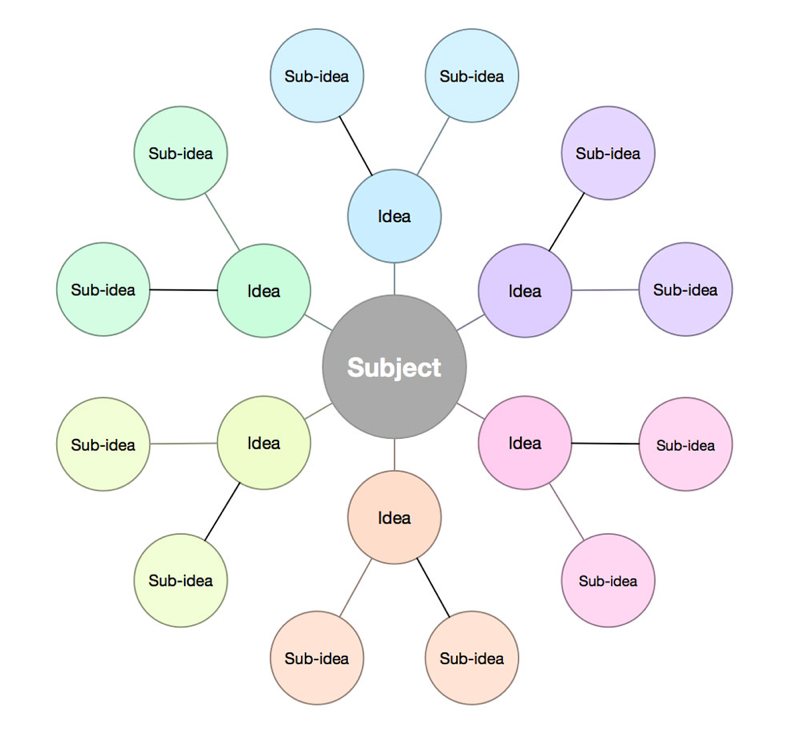
#2 Making a digital mind-map using ‘Simple Mind’ app.


(Mind-map, n.d.)

Original task:

Students write a report on the relationship between nutrition and health.

Modification:

Students create a digital mind map using ‘Simple Mind’ which represents the essential nutrients and their relationship to health. Students can use images and graphics to illustrate the links between nutrition and wellbeing. While the outcome is the same use the ICT modification significantly alter the produce which the student is able to produce. The product which is created in this task is also a valuable revision resource for the student.

#3 Create a Podcast

Below is an example of a lesson which uses a podcast app to modify a task.

Below is a link to a sample podcast created using Anchor.

https://anchor.fm/samuel-branster/episodes/The-Flipped-Classroom-e3s7os

References

Blooms Taxonomy (revised) [Illustration]. (2017, November 27). Retrieved from https://www.niallmcnulty.com/2017/11/blooms-digital-taxonomy/

Keep Me Cool, Keep Me Clean [Poster]. (n.d.). Retrieved from http://www.comiccompany.co.uk/?category=2&collection=5

Mind-map [Graph]. (n.d.). Retrieved from https://thesweetsetup.com/apps/best-mind-mapping-app/

SAMR Model [Graph]. (2017, October 30). Retrieved from https://www.schoology.com/blog/samr-model-practical-guide-edtech-integration

SAMR – AUGMENTATION

The next stage of the SAMR model is augmentation where technology is still a substitute; however, it has some functional improvement which allows students to engage on a deeper level of the lesson content.


(SAMR Model, 2017)

Examples of Augmentation

#1 PowerPoint Presentations with hyperlinks

PENTAX Image

Original task:

Teacher displays a PowerPoint to the class on a single projector to explain the digestive system.

Augmentation:

The student’s devices each display the PowerPoint presentation and now have access to embedded hyperlinks which give students direct access to websites, articles and videos to gather and interact with more information than offered in the PowerPoint slides. For example, the teacher may create a PowerPoint on the digestive system highlighting the important stages while linking a video which visually depicts the digestion process.

#2 Making a flow chart with Educreations


(Ipad screenshots, n.d.)

Original task:

Student create a flow chart of the units of operations in producing tomato paste.


(Tomato paste, n.d.)

Augmentation:

Student creates a flow chart on their device using Educreation and adds in audio to give a brief explanation of each stage. With this activity, students engage in teaching content to learn which studies have shown increases recall
(Everding, 2014).
Using Educreations allows students to explain their work which provides evidence for teachers that students have a deeper understanding of the concepts behind each unit of operation and not merely duplicating a diagram.

Below is a useful tutorial on how to use Educreations.

(Educreations App Tutorial, 2014)

#3 Making a website using Google sites

Below is an example of how you can use augmentation in a food technology lesson.

This is an example of a website students could create to learn about nutrition.

https://sites.google.com/view/samuelbranster/home

References

Educreations App Tutorial [Video file]. (2014, September 21). Retrieved from https://www.youtube.com/watch?v=DqrO4mKEzdA

Everding, G. (2014, July 28). Expecting to teach enhances learning, recall. Retrieved from https://source.wustl.edu/2014/07/expecting-to-teach-enhances-learning-recall/

Ipad screenshots [Photograph ]. (n.d.). Retrieved from https://itunes.apple.com/us/app/educreations/id478617061?mt=8

SAMR Model [Graph]. (2017, October 30). Retrieved from https://www.schoology.com/blog/samr-model-practical-guide-edtech-integration

Tomato paste [Illustration]. (n.d.). Retrieved from http://www.rajprocessequipments.com/tomato-puree-sauce-ketchup-plant.html

SAMR – Substitution


(ICT in education, 2018)

This blog will be showing methods of ICT integration in a secondary classroom in the context of the SAMR model.

This blog is contextualized for food technology. However, the principles covered can be applied to any subject area.

SAMR – Model


Figure 1. (SAMR Model, 2017)

Substitution

Substitution is where ICT is used as a replacement to perform the same task before the use of a device (Puentedura, 2015).

Substitution best compliments the lower levels of blooms taxonomy featured in figure 2. However, teachers are encouraged to develop lessons which will target higher learning experiences for students (Mastascusa, Snyder, & Hoyt, 2011, p. 109), to ensure a broad understanding of concepts. While substitution best compliments the lower levels of Bloom’s taxonomy it does not necessarily mean substitution is not valuable for teachers.
(Hamilton, Rosenberg, & Akcaoglu, 2016, p. 8) suggests that the hierarchical structure of the SAMR model may be an oversimplification of the use of technology in classrooms, therefore may give a misleading impression of the various levels SAMR and their effectiveness and value.

Blooms Taxonomy


Figure 2. (Blooms Taxonomy (revised), 2017)

Examples

E-Textbooks

An example in the food tech classroom is replacing hard copy textbooks for digital textbooks which students access via a device.

Original task:

Students to read page 47-51 in their textbook.

Substitution:

Students use a device to read pages 47-51 of the digital textbook.


(, 2018)

Below is a link to a great site for teachers to find e-textbooks.

https://www.zookal.com/

PDF Handouts

Handouts can be given to students on their devices via a PDF format which they can read and fill out.

Original Task:

Read and complete the lesson handout.

Substitution:

Students download the lesson handout as a PDF which they can complete using their device.


(, 2018)

Below is a handy tutorial demonstrating how to create fallible PDF handouts.


(How to Make a Fillable PDF, 2014)

Substitution in the Classroom

Here is an example of a lesson plan implementing substitution for a year 9 Food Technology lesson.

References

[Photograph ]. (2018). Retrieved from https://https://www.pcworld.com/article/2044412/convert-a-pdf-for-kindle-viewing-no-software-required.html

[Photograph]. (2018). Retrieved from https://www.classoos.com/what-are-the-benefits-of-using-the-classoos/

Blooms Taxonomy (revised) [Illustration]. (2017, November 27). Retrieved from https://www.niallmcnulty.com/2017/11/blooms-digital-taxonomy/

Hamilton, E., Rosenberg, J., & Akcaoglu, M. (2016). The Substitution Augmentation Modification Redefinition (SAMR) Model: a Critical Review and Suggestions for its Use. TechTrends. doi:10.1007/s11528-016-0091-y

How to Make a Fillable PDF [Video file]. (2014, April 1). Retrieved from https://youtu.be/9GQ_eoCA_XI

ICT in education [Illustration]. (2018, November 7). Retrieved from http://kathmandupost.ekantipur.com/news/2018-11-07/ict-in-education.html

Mastascusa, E. J., Snyder, W. J., & Hoyt, B. S. (2011). Blooms Taxonomy of Educational Objectives Its Relationship to Course Outcomes. In Effective Instruction for STEM Disciplines: From Learning Theory to College Teaching (p. 109). Hoboken, NJ: John Wiley & Sons.

Puentedura, R. R. (2015, October 14). SAMR: A Brief Introduction. Retrieved from http://hippasus.com/rrpweblog/archives/2015/10/SAMR_ABriefIntro.pdf

SAMR Model [Graph]. (2017, October 30). Retrieved from https://www.schoology.com/blog/samr-model-practical-guide-edtech-integration

Design a site like this with WordPress.com
Get started